Build a Notion Landing Page That Actually Converts
So, what exactly is a Notion landing page?
At its core, it's a webpage you build using Notion's simple, block-based editor and then publish online—often with a custom domain—to gather leads or sell a product. It uses the familiar simplicity of Notion to create a clean, functional, single-page site without ever touching code or wrestling with a complicated website builder.
But the real magic isn't just about building a page. It's about how that page connects natively to your existing Notion databases and workflows.
Why Use Notion for Your Next Landing Page
Let’s get past the obvious stuff. You already know Notion is affordable and a breeze to use. The real strategic win here is creating a perfectly seamless, centralized system, especially if your business already runs on Notion.
Think of it less as "making a website" and more as building an integrated marketing machine.
Imagine updating your page's content, tracking new leads as they roll into a database, and automatically kicking off a welcome email sequence—all from one place. This isn't just about convenience; it's about consolidating your tech stack and creating a single source of truth for your entire campaign.
The Power of a Unified Workflow
The main benefit is killing the friction between different tools. Instead of juggling a website builder, a separate CRM, and an email marketing platform, you're tying everything together in an environment you already know and love. This tight integration is what turns a simple page into an automated powerhouse.
Here’s how it works in practice:
- Effortless Content Management: Need to tweak your landing page copy, swap out an image, or update an offer? Just edit the Notion page. The changes can sync to your live site instantly.
- Seamless Lead Capture: When someone fills out your form, their submission can automatically create a new entry in a Notion database. Every lead is neatly organized with properties like name, email, and sign-up date from the get-go.
- Automated Follow-Up: With a tool like NotionSender, each new database entry can trigger an email. You can send an instant welcome message or even an entire onboarding sequence, ensuring no lead ever goes cold.
This is what a simple, organized Notion doc for a landing page might look like before it goes live.
The clean, block-based structure lets you build and rearrange content sections—from hero banners to feature lists—with incredible speed.
The real goal here is to stop the tedious cycle of exporting CSV files and copy-pasting data between apps. A Notion-based system means your landing page, lead database, and email outreach are all speaking the same language. It creates a smooth, automated funnel that just works. For a deeper dive into making your workspace more efficient, you might be interested in these 10 tips to get the most out of Notion.
Mapping Out Your Page Content and Structure

Before you even think about dragging a single block around in Notion, you need a solid plan. I've seen it countless times: people jump straight into the design, and the result is a confusing page that just doesn't work. Think of it like trying to build a house without a blueprint. It's going to get messy, and it definitely won't get you the conversions you're after.
Your first move is to decide on the one thing you want visitors to do. What’s the single most important goal? Are you trying to get email sign-ups? Drive webinar registrations? Sell a product? Everything on the page—every headline, every image, every button—needs to push visitors toward that one specific action. This focus is key to creating a clear path for your users.
Define Your Core Message
With your goal in mind, it's time to craft a value proposition that hits home instantly. You need to answer two critical questions for your visitor: What problem are you solving for me, and why is your solution the right one right now? Your core message should be boiled down into a powerful headline that stops them in their tracks.
This all comes together in your hero section—the very first thing people see. It has one job: communicate your value in a split second. A great hero section usually has:
- A Compelling Headline: State the primary benefit loud and clear.
- A Supportive Subheading: Briefly explain how you deliver on that promise.
- A Clear Call-to-Action (CTA): Tell them exactly what to do next.
Let's say a freelance consultant is building a notion landing page. A strong headline might be "Effortless Project Management for Creative Teams." The subheading could add context: "Stop juggling spreadsheets and start delivering projects on time with a custom Notion system." And the CTA? Something direct like "Book Your Free Consultation."
Structure for a Smooth User Journey
A high-converting landing page tells a story, guiding your visitor from initial interest to taking action. You need a logical flow. The hero section hooks them, the middle builds the case, and the conclusion seals the deal.
A battle-tested structure that I always come back to looks something like this:
- Hero Section: Grab their attention and state your value proposition.
- Problem/Solution: Poke at their pain point a little, then introduce your offer as the perfect fix.
- Features & Benefits: Detail what your service does, but more importantly, explain what it means for them.
- Social Proof: Build trust with testimonials, reviews, or case studies. Remember, 79% of consumers say they trust online reviews as much as personal recommendations.
- Final Call-to-Action: Make one last, impossible-to-miss request for them to take action.
Don’t just list features; translate them into tangible benefits. Instead of saying "Weekly PDF Reports," say "Get Weekly Insights Sent to Your Inbox so You Can Make Smarter Decisions." This subtle shift makes your offer much more persuasive.
This structure works so well because it follows the user's natural decision-making process. In fact, long-form landing pages built this way can generate over 220% more leads than shorter pages that cut corners.
If you really want to dive deep, you can optimize your landing page for higher conversions with more advanced strategies. Even simple tweaks, like personalizing your CTA buttons, have been shown to convert 42% more visitors than generic ones. It's these small details that add up to big results.
Bringing Your Landing Page to Life in Notion
Alright, you've got your blueprint. Now for the fun part: actually building the thing inside Notion. The real goal here is to shake off that default "document" look and build something that feels intentional, professional, and designed to convert. The best part? No code required. Just a clever use of Notion's native blocks.
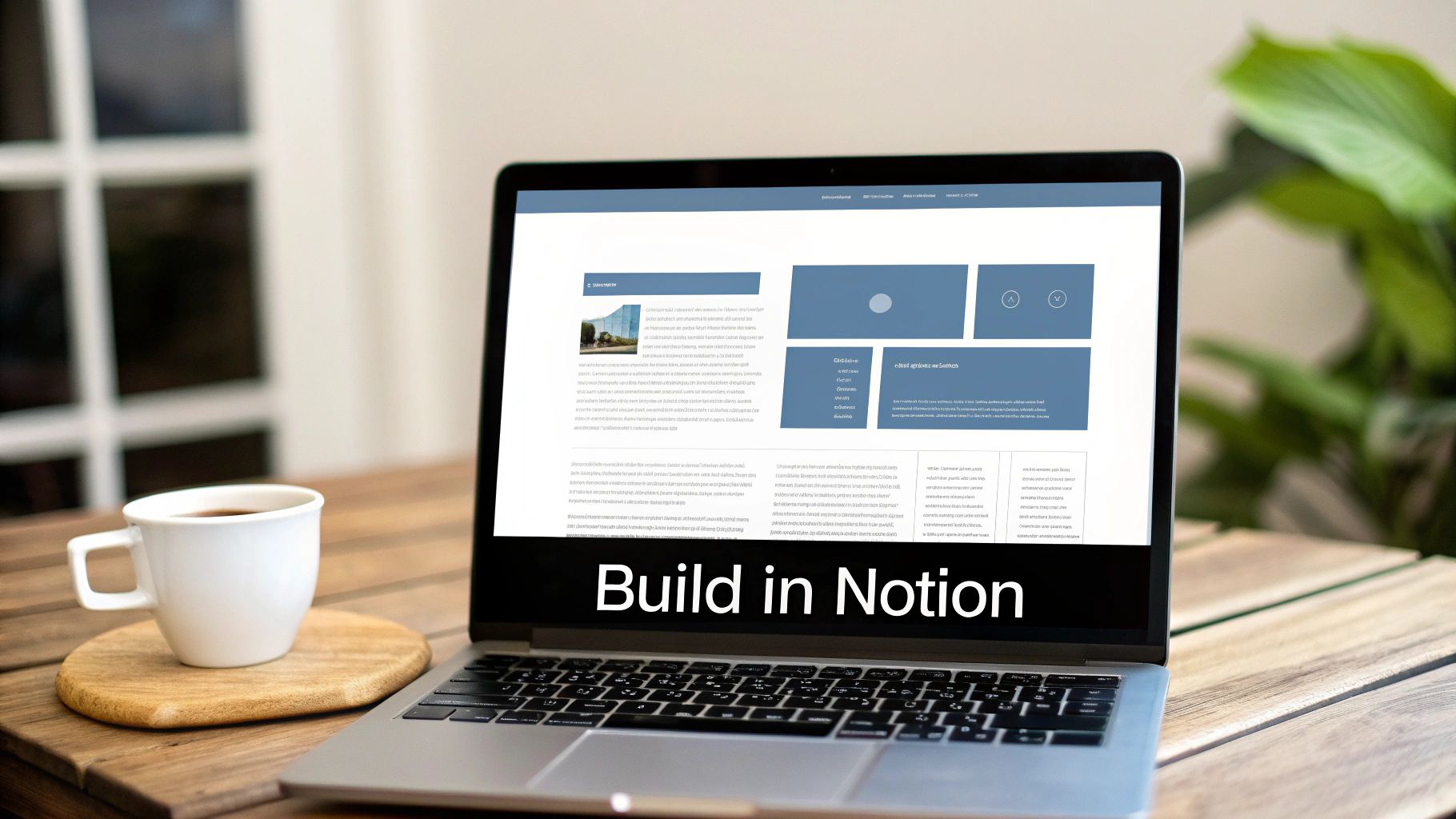
The first step is to break up the layout. Please, whatever you do, avoid the single-column wall of text. It screams "I'm a document," not "I'm a landing page."
Instead, start using columns. It’s surprisingly simple: just drag any block to the far right of another one. A vertical blue line will pop up, showing you where the new column will form. Drop it, and you're done. This is your secret weapon for placing an image next to your hero text or lining up feature benefits side-by-side. A simple two or three-column grid instantly makes your content more dynamic and easier to scan.
Elevating the Design with Simple Blocks
Once you have a solid structure, you can start using specific blocks to highlight key info and guide your visitor's eye. Think of these as your basic design toolkit for creating a high-quality notion landing page.
These blocks are my go-to for adding that extra layer of polish:
- Callout Blocks: These are fantastic. Give them a subtle background color to make your value proposition, a key takeaway, or a glowing testimonial really pop. The little icon adds a nice visual touch, too.
- Toggle Blocks: The absolute best way to handle an FAQ section. They keep your page looking clean and uncluttered while letting curious visitors dig for the answers they need without endless scrolling.
- Quote Blocks: That simple vertical line adds a surprising amount of emphasis. They’re tailor-made for customer quotes or pulling out a powerful benefit statement from your copy.
A common mistake I see is people trying to cram too much onto the page. White space is your best friend. Seriously. Use divider blocks or even just empty text blocks to create breathing room between your sections. It’s a simple trick that massively improves readability and makes your page feel calm and professional, not chaotic.
Beyond static content, you can easily embed interactive elements. Got a product demo? Embed a YouTube video. Want a personal welcome? Record a quick Loom video. Hosting a physical event? Embed a Google Map. All you have to do is paste the share link and select "Create embed."
Creating a Clean and Modern Aesthetic
You don’t need to be a graphic designer to make your page look good. A professional-looking landing page comes down to consistency and simplicity, not flashy graphics. It's the small details that add up.
First, pick a simple color palette. Notion lets you change text and background colors for various blocks. Choose one or two accent colors that match your brand and use them consistently for things like headings, links, and the background of your callout blocks. This subtle branding goes a long way.
Next, think about typography. While you can't upload custom fonts, you can—and should—create a clear visual hierarchy with Notion’s H1, H2, and H3 heading styles. A cardinal rule: use the H1 tag for your main headline only. Then, use H2s for major section titles and H3s for sub-points. This not only guides your visitors through the page but is also a foundational practice for good SEO.
Connecting a Custom Domain and Getting Found on Google
Let's be honest. A slick-looking landing page is great, but it's completely useless if no one ever sees it. This is where the real work begins: connecting a custom domain and getting a handle on the basics of SEO.
Your default Notion URL is a long, clunky string of characters that screams "hobby project." It doesn't build trust. The very first step to making your page look legitimate is ditching that URL for a professional custom domain.
But how do you do that? Notion pages don't just magically become websites. You'll need a bit of help from a third-party tool. Services like Super.so, Potion.so, or Simple.ink are the missing link. They take your Notion doc, wrap it in all the necessary web code, and let you publish it on a domain you actually own. This instantly levels up your page's credibility.
This image from Super.so really shows the transformation. It takes a standard Notion page and turns it into a polished, professional website with custom branding and navigation. More importantly, these tools unlock critical SEO settings that Notion simply doesn't offer on its own.
Mastering On-Page SEO for Your Notion Site
Once your custom domain is live, the next job is to make sure your page can actually be found on Google. This is all about on-page Search Engine Optimization (SEO). Before you dive in, it’s worth getting familiar with the fundamentals of What is Search Engine Optimization—it’s the foundation for everything that follows.
Whichever publishing tool you chose, it will have a settings panel where you can tweak these crucial SEO elements. You'll want to pay close attention to these three high-impact areas:
- Meta Title and Description: The meta title is the big blue link you see in Google search results. The description is the short summary right below it. Your job is to make both of them compelling and packed with the keywords people are actually searching for.
- H1 Tag: Think of this as the main headline of your page. You should only have one. It needs to clearly tell both Google and your visitors what the page is all about.
- Image Alt Text: Every single image on your page needs descriptive "alt text." This isn't just for SEO—it's crucial for accessibility, as it helps screen readers describe the image to visually impaired users. It also gives search engines more context about your content.
Think of SEO as giving search engines a clear roadmap to your content. A custom meta title acts as the big, bold sign on the highway, while your H1 tag and alt text are the detailed directions that guide them straight to your front door. Without them, your page is effectively lost.
As you structure your Notion document, use H2 and H3 subheadings to create a clear hierarchy. This isn't just for looks. It helps humans scan your content, and it makes it much easier for search engine bots to crawl and understand what's important. These simple, actionable steps are the key to driving organic traffic to your new notion landing page.
Here's the rewritten section, designed to sound like an experienced human expert while following all your requirements.
Automating Lead Capture and Follow-Up
Alright, this is where the real magic happens. A beautiful, well-designed Notion landing page is great, but its true power is unlocked when you turn it into an automated lead generation machine. We're moving beyond manually managing contacts and building a system that works for you, 24/7.
By integrating a tool like NotionSender, you transform your static page into a dynamic workflow. The concept is simple but powerful: add a contact form to your page that pipes every single submission directly into a Notion database. Just like that, every new lead becomes a perfectly organized entry, instantly.
From Submission to Organized Lead in an Instant
Think about a freelance consultant using their new notion landing page to get inquiries. Before automation, every submission lands in their email. They'd have to manually copy the person's name, email, and project details into a separate Notion table. It's tedious, and it's shockingly easy for good leads to fall through the cracks when things get busy.
With an integrated form, that manual step just… vanishes. The moment a potential client hits "Submit," a new row pops into their "Client Inquiries" database in Notion. All their information is there, neatly sorted into the right properties. No more copy-pasting.
This entire flow—building the page, connecting a domain, and dialing in the SEO—is a repeatable process you can use to create effective marketing assets over and over again.
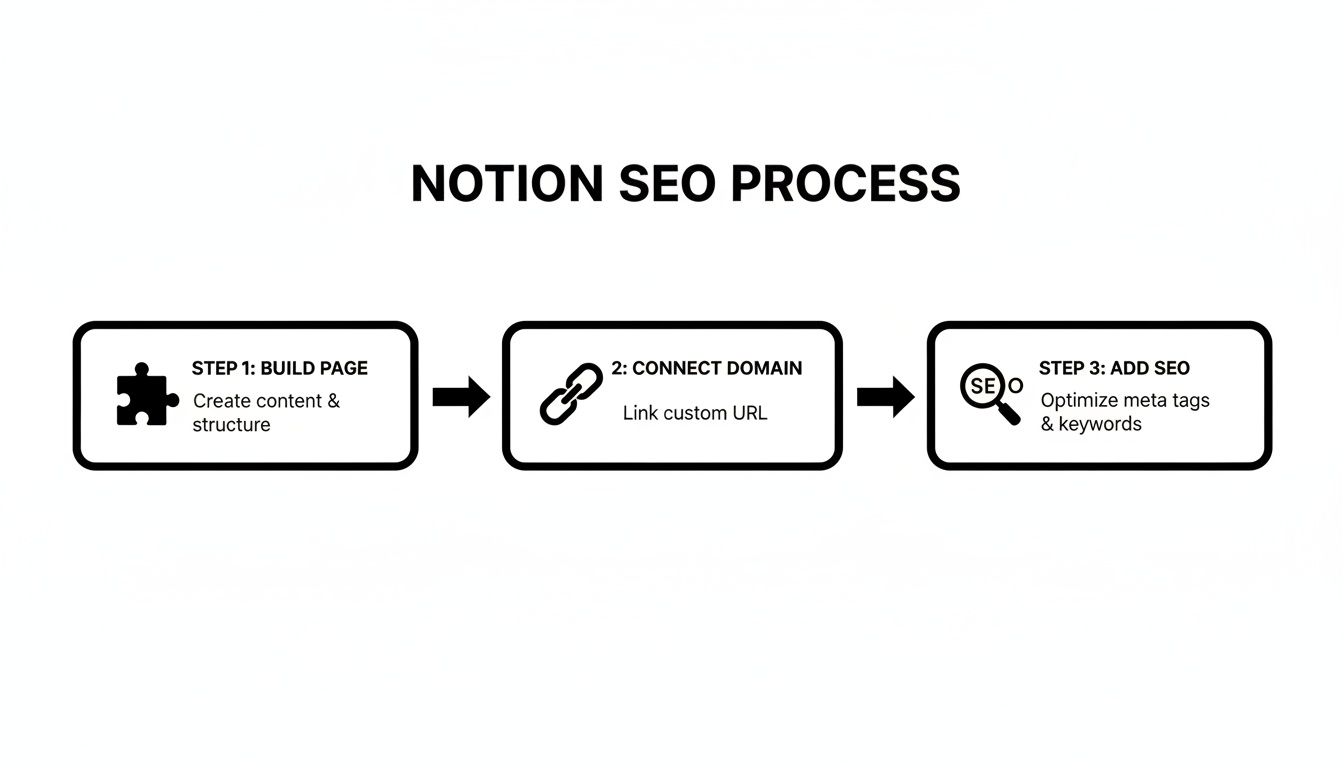
This just shows the fundamental steps to take your Notion page from a private doc to a public, discoverable landing page.
Triggering Automated Email Sequences
Capturing the lead is only half the battle. The real value comes from immediate, consistent follow-up. This is where you can start triggering automated emails the very moment a new entry hits your database.
Here’s how our consultant’s workflow looks now:
- Lead Submits Form: A potential client fills out the form on the landing page.
- Database Entry Created: NotionSender instantly creates a new row in the "Client Inquiries" database.
- Welcome Email Sent: This action immediately triggers a personalized welcome email. It can thank them for their interest, attach a portfolio, and let them know you'll be in touch within 24 hours.
This isn't just about saving time; it's about creating a superior client experience. Immediate confirmation builds trust and shows you're a professional, helping you make a great first impression before you've even read their message.
Personalization can seriously boost these results. Notion itself proved this when they implemented dynamic personalization on their paid landing pages, which led to a 60% increase in product signups in just three weeks. It's a powerful reminder of how targeted content and follow-up can deliver huge wins. You can dive into the full case study on how Notion optimized their paid landing pages with personalization.
This level of automation isn't limited to a single welcome email, either. You could build out an entire onboarding sequence, a multi-part email course, or a gentle follow-up reminder sent three days after the initial inquiry. The whole system runs on its own, ensuring no lead is ever left hanging. For those who want to build even more complex workflows, you can dig into the NotionSender API documentation.
Even with a clear plan, a few questions always pop up. It's totally normal. Let's tackle some of the most common things people ask when they're on the fence about using Notion for a landing page.
Can a Notion Landing Page Actually Rank on Google?
Yes, it absolutely can, but there's a catch. You can't just use the raw, public Notion link and expect to show up in search results. That's where third-party tools like Super.so or Potion.so come into play. You have to use one to connect a custom domain.
Think of these services as the bridge that turns your simple Notion doc into a real, crawlable website. They give you the keys to the kingdom for SEO—things Notion just doesn’t have on its own. You can finally edit your meta title, write a compelling description, and handle all the little details search engines are looking for.
Once you’ve got that set up, it's all about applying the on-page SEO basics you'd use anywhere else. Stick to one H1, structure your content logically with subheadings, and sprinkle in your keywords. Do that, and your Notion page has just as much of a fighting chance to rank as a traditional website.
Is a Notion Page Fast Enough for a Good User Experience?
For the most part, yes. Notion pages are surprisingly lightweight by nature because they’re built from a simple block system. When you push them live through a quality publishing tool, they're usually served up through a speedy Content Delivery Network (CDN), which means fast load times for visitors no matter where they are.
That said, you can definitely slow things down if you're not careful. The usual suspects are:
- Huge Images: Always, always compress your images before you upload them.
- Too Many Embeds: Every widget, video, or form you embed adds to the load time. Use them where they make sense, but don't go overboard.
Keep it clean and optimized, and you'll deliver a perfectly snappy experience.
What Are the Main Downsides of Using Notion?
The biggest trade-offs are advanced design control and native analytics. You're working inside Notion's block editor, which is fantastic for speed but can't compete with the pixel-perfect freedom of a tool like Webflow. You can't just drop in custom code snippets or add complex tracking scripts (like a Meta Pixel) unless your publishing tool has a specific feature for it.
A Notion landing page really shines when your top priority is speed, simplicity, and keeping everything connected to your existing Notion setup. It’s the perfect choice for projects where you value a single source of truth over granular design control and complex tracking.
Do I Need a Paid Notion Plan for All This?
Nope! You can build the entire page on Notion's free plan. The real cost is the subscription for the third-party publishing service you'll need to connect your custom domain and unlock all those crucial SEO and performance features.
And for those of you looking to manage the entire lead-to-email process right from your workspace, check out how you can create and send email directly from Notion to really round out your new setup.
Ready to turn your Notion page into an automated lead-capture machine? NotionSender makes it easy to add forms and trigger email sequences directly from your Notion database. Start your free trial today and build a seamless workflow from click to conversion.

